Hear it and keep the event.
QCII Tone-Out, S.A.M.E., live activity, recordings, and the journal turn scanner traffic into a working record.
The Product Story
The radio is the hardware. The workflow is the product. STW brings monitoring, identification, programming, history, recordings, diagnostics, and station intelligence into one local Windows station — without pretending every scanner works the same way.
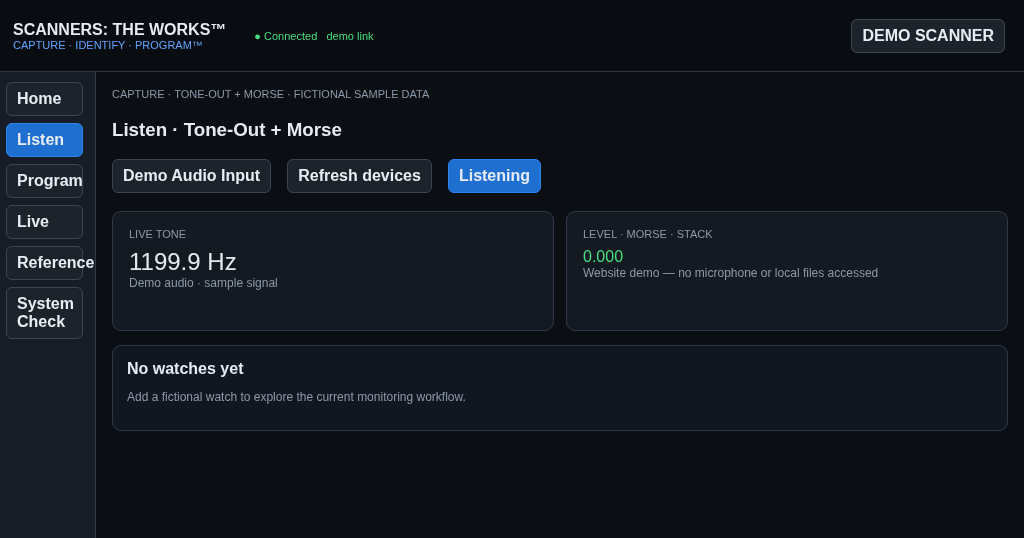
The trademarked core workflow stays simple. The complete station carries the result forward so monitoring has memory and every center knows what the others learned.
QCII Tone-Out, S.A.M.E., live activity, recordings, and the journal turn scanner traffic into a working record.
RadioReference, Discovery Intelligence, incident context, activity history, and recordings help connect unknown traffic to useful context.
Radio Manager builds a scanner-neutral library, then stages model-aware changes for review before a verified write.
Mission Control brings connected radios, active decoders, recording state, current activity, and quick actions onto one live desk.
Audio Center, Activity Center, compare/sync, incidents, and Memory Planner make the station useful after the transmission is over.
Profiles, templates, snapshots, maintenance suggestions, Quick Find, and Station Assistant improve the station without making silent changes.
Mission Control, Operations Center, Audio Center, Activity Center, Radio Manager, and Settings are designed to agree about what is connected, running, recorded, changed, and saved.
Fixed banks, DMA, Favorites, and future memory models stay distinct underneath one friendly workflow. Unsupported choices are hidden or refused rather than guessed.
The desktop app works with the owner’s PC, radios, SD cards, audio path, and local files. Public website demos use fictional sample data only.
Profiles, Station Assistant, compare/sync, templates, and automation can prepare work, but scanner programming stays review-first.
Recordings, incidents, activities, discoveries, programming jobs, and health events remain connected instead of disappearing when a dialog closes.
Plain-language status, one primary action, useful empty states, safe defaults, and advanced controls only when they are needed.
Each center has one clear responsibility, but related work opens directly in the center that owns it.
Library, imports, editing, compare, validation, staging.
Connected scanners, live state, decoder and recording status.
Health score, subsystem checks, problems, support packages.
Playback, waveform, FFT, metadata, export, Trash and restore.
Readable event timeline with links back to recordings and programming.
Shared station, audio, recording, history, RR, privacy, and support behavior.
STW can notice patterns and prepare work without silently changing a scanner.
Coordinate station behavior for normal monitoring, severe weather, rail, travel, or other owner-defined setups.
Rank unknown IDs by activity, collect context, then promote confirmed findings into Radio Manager.
See what differs between the library, scanner data, or a snapshot before choosing what to synchronize.
Answer questions from current local station state and offer direct actions — never a hidden automatic write.
Select one of the tested models to see which programming path STW uses and why.
Field-tested model in the v1.0.0 matrix.
Follow the interface from the original v0.81 Windows prototype through the first WebView shell, the monitoring station, and today’s unified Full Station Vision.
This site describes the current Full Station Vision interface and the scanner paths documented as tested. It does not turn untested radios into supported radios, perform firmware flashing, or make the public website connect to a visitor’s scanner.